


Skip to content

A practical guide for practitioners

Interactive therapy tools: 12 ways to make sessions more engaging.

Games, visual activities, creative prompts, and hands-on approaches for helping kids, teens, and young adults connect, express themselves, and participate. Plus how to choose one, when to skip it, and how to bring the conversation back afterward.

interactive tools
12interactive tools
session goals
4session goals
settings: in person and telehealth
2settings: in person and telehealth
A coach and a teen laughing over a card game, one of many interactive therapy tools for building connection

Five minutes in

How was your week?

Fine.

Anything interesting happen?

Not really.

Anything you want to talk about today?

(shrug)

Why interactive tools

Sometimes a session starts with a conversation that goes absolutely nowhere.

There’s still plenty of time left in the session, and asking another five questions probably isn’t going to change much. That’s often the moment interactive therapy tools earn their place.

Of course, short answers don’t necessarily mean a client is disengaged. They might need more time to settle in, have something difficult on their mind, or simply not feel like talking. But sometimes a different approach can help.

Interactive therapy tools give kids, teens, and young adults another way to participate without relying entirely on conversation.

They might choose between pictures, make a prediction, sort their thoughts, build a story, or play a quick game. The goal isn’t to keep every minute exciting. It’s to create more opportunities for connection, expression, and meaningful therapeutic work.

A note on my perspective

I’m Danielle Lloyd, a certified coach, not a therapist. I work with kids, teens, and young adults on executive functioning, and these ideas come from what I use in my own sessions every day. If you’re a therapist or counselor, please filter everything here through your own training and clinical judgment.

The basics

What are interactive therapy tools?

Interactive therapy tools are activities, materials, or digital experiences that invite clients to actively participate in a session. Instead of only talking about an experience, a client might explore it through a visual, a physical action, a collaborative activity, or a game.

An interactive therapy tool doesn’t have to involve a screen. A handful of index cards or a whiteboard can work just as well as a digital activity. Digital doesn’t automatically mean interactive, either. Watching a video or reading a worksheet on a screen may be useful, but it doesn’t necessarily invite the same active participation as making choices, moving things around, or responding to changing situations.

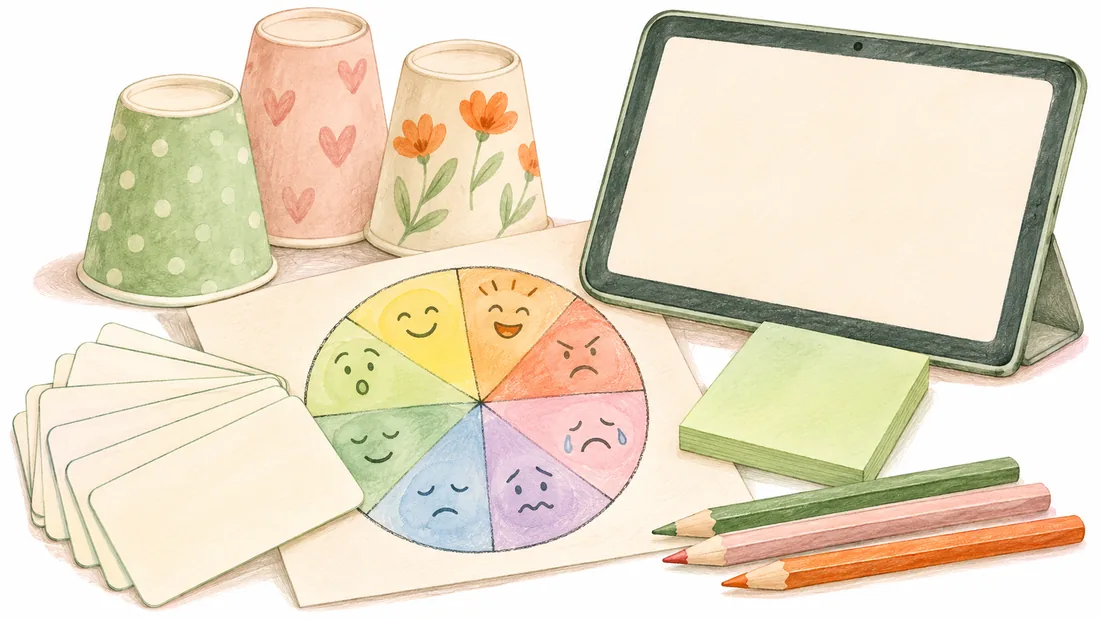
Index cards, an emotion wheel, paper cups, sticky notes, colored pencils, and a tablet arranged together
  • Therapy games

    Simple cooperative, competitive, or problem-solving activities

  • Visual check-ins

    Emotion wheels, illustrated choices, and creative rating scales

  • Thought-organizing

    Sticky notes, sorting exercises, and decision maps

  • Creative prompts

    Drawing, storytelling, imaginative scenarios, and collaborative writing

  • Practice activities

    Role-play, conversation rehearsal, and real-world scenarios

This distinction matters

Engagement isn’t the same as entertainment.

A child can love a game without engaging in meaningful therapeutic work. Another client might barely smile during an activity but come away with an important realization.

Sometimes the purpose of an activity is simply to build familiarity and comfort. Sometimes it’s to make an abstract thought easier to explore. Other times, it’s to practice something that might be useful outside the session.

A successful activity is one that serves its intended purpose, not necessarily one that produces the biggest reaction.

Pick by session goal

12 interactive therapy tools, organized by session goal.

You don’t need to use all twelve. In fact, most sessions won’t need more than one or two. Think of these as different ways to enter, explore, or extend a conversation, depending on what the client needs in that moment. That’s why choosing the goal before choosing the tool matters so much.

Tools 01 to 03

When the goal is building comfort and connection

Early sessions, quiet moments, and relationship-building often benefit from activities that offer participation without demanding personal disclosure.

1. Low-pressure question cards

Question cards provide a starting point without requiring the practitioner to generate every prompt. The trick is choosing questions that invite curiosity rather than feeling like disguised intake questions.

Card 1

What completely ordinary thing do you insist on doing your own way?

Card 2

If your week had a movie title, what would it be?

Card 3

Would you rather always know the answer or always know the right question?

Card 4

What’s a rule you would change if you were in charge for a day?

Give clients some control. They can pick a card, swap it, answer a different question, or ask you to answer first. For more prompts in this spirit, see these icebreakers for teens.

Try it in person

Write questions on cards or folded slips of paper. Let the client select a few.

Try it virtually

Display questions on screen and allow the client to choose a number or category.

Follow-up question

“How did you come up with that answer?”

When to modify or skip

If answering questions already feels overwhelming, don’t replace a difficult conversation with an activity that feels like a quiz. Offer a visual or shared game instead.


2. Short cooperative or competitive games

Not every connection-building activity needs a therapeutic question attached. A five-minute game can provide a shared experience, introduce a little humor, or help the client become more comfortable interacting with you.

Simple games involving memory, prediction, quick decisions, or small risks can work especially well because the rules are easy to understand. Consider a card game, a tabletop challenge, or a short browser-based activity.

Try it in person

Play a quick round of cards or a simple tabletop game. Keep the instructions brief.

Try it virtually

Share a browser-based game that both participants can see and play.

Follow-up question

“Want another round, or are you ready for something else?”

When to modify or skip

Competition isn’t comfortable for everyone. Offer cooperative play, remove scoring, or choose something else if winning and losing would create unnecessary pressure.

Notice that the follow-up isn’t automatically about coping skills, frustration tolerance, or relationships. A game can open a conversation, but it doesn’t need to become a metaphor for someone’s life.

3. Choose-one visual prompts

Some clients find it easier to choose an image than to describe an abstract feeling or experience. Present two or three pictures, symbols, or objects and ask a simple question:

“Which of these looks most like your energy today?”

Turtle
Race car
Sleepy cat

Or display a quiet beach, a crowded intersection, and a winding trail. The specific images matter less than the opportunity to make a choice.

Try it in person

Use printed pictures, illustrated cards, or objects already in your room.

Try it virtually

Share a slide with three visual options.

Follow-up question

“What made you pick that one?”

When to modify or skip

Don’t insist that the client explain the choice. Some clients will want to tell you a whole story. Others might simply point to a picture. Both are forms of participation.

Tools 04 to 06

When the goal is checking in or finding a starting point

Sometimes the client is comfortable with you but doesn’t know where to begin. A check-in tool can offer a useful starting point without requiring a detailed account of the week. If you’d like ready-made prompts, browse this library of therapy check-in questions.

4. Emotion wheels and visual check-ins

Emotion wheels can help clients recognize or communicate feelings when words don’t come easily. But an emotion wheel doesn’t have to be used as a vocabulary test. You might ask:

“Which one feels closest to where you are right now?”
“Are there two that seem to be happening at the same time?”

Clients can point, choose a color, identify an approximate feeling, or decide that none of the options fits. Interactive tools such as Opening Play’s Reflection Wheel can also give practitioners a visual starting point for reflection.

Try it in person

Use a printed emotion wheel, draw one together, or lay out emotion cards.

Try it virtually

Use an interactive emotion wheel or shared visual check-in.

Follow-up question

“Has that been around all week, or is it more of a today feeling?”

When to modify or skip

A client may reject the available labels or feel uncomfortable naming emotions. Allow uncertainty, alternative descriptions, or a different format.

5. Creative rating scales

The traditional “On a scale of 1 to 10…” question is familiar, but numbers aren’t always meaningful to kids and teens. Consider a more concrete scale that fits the individual.

Battery level

“How charged up do you feel today?”

Weather report

“If your brain had weather today, what’s the forecast?”

Volume knob

“How loud are your thoughts right now?”

Traffic report

“Is everything flowing, moving slowly, or at a standstill?”

You can even invite the client to invent the scale.

Try it in person

Draw a battery, weather forecast, or slider on a whiteboard. Let the client mark their response.

Try it virtually

Use a shared whiteboard or slide with a movable marker.

Follow-up question

“What might help move that one notch in the direction you’d like?”

When to modify or skip

Don’t assume what a number or image means. A storm might feel overwhelming to one client and exciting to another. The client’s interpretation matters more than the metaphor.

6. Prediction and reveal activities

Prediction activities invite clients to participate through curiosity. Rather than immediately asking about a personal experience, offer a small challenge where the client can make a guess and discover what happens. Examples include:

  • Predicting which cup hides an object
  • Guessing how many items will appear during a brief visual challenge
  • Anticipating what happens next in a short sequence
  • Choosing which of several outcomes seems most likely

The reveal creates a natural moment for conversation without requiring it.

Try it in person

Use three cups, a few small objects, or a simple guessing challenge.

Try it virtually

Use a short prediction game with a visible result.

Follow-up question

“What made you guess that?”

When to modify or skip

Avoid framing incorrect guesses as failures or interpreting a client’s game choices as evidence of a particular thinking pattern. If the activity serves as a warm-up and nothing deeper emerges, that’s fine.

Tools 07 to 09

When the goal is exploring thoughts, choices, and experiences

Once a client has something they want to explore, interactive tools can help make complicated ideas easier to see and work through. These activities are particularly useful when talking in circles isn’t moving the conversation forward.

7. Collaborative thought sorting

When a client has several concerns at once, asking them to explain everything in sequence can be difficult. Thought sorting creates a visible place for ideas to land. Start by writing individual thoughts, worries, or possibilities on separate notes. Then collaborate on categories.

For example, a student worried about an upcoming test might sort it like this:

Things I can influence

Studying

Things I can ask someone to help with

Requesting clarification

Things outside my control

The exact questions on the test

The client can move the notes, change categories, or add new ones as they think. If this approach clicks for your clients, the Circle of Control activity guide goes deeper. Opening Play’s Circle of Control and Sort It Out Session Enhancements offer digital formats for this type of collaborative exploration.

Try it in person

Use sticky notes on a table or whiteboard.

Try it virtually

Use a collaborative digital sorting activity or movable notes.

Follow-up question

“Is there anything you’d move now that we’ve looked at everything?”

When to modify or skip

Be careful not to turn a control exercise into a message that clients are responsible for circumstances beyond their control. Acknowledge environmental, relational, and systemic realities.

8. Visual decision mapping

A decision can become difficult to explore when all the considerations are competing for attention. Visual decision mapping creates space to examine those considerations separately.

Draw a simple balance, two paths, or two columns. On one side, add reasons for one possibility. On the other, add reasons for another. For example, a teen might be weighing whether to attend a social event or stay home to recharge.

Go to the eventStay home to recharge

Rather than asking for a final decision immediately, explore what each option offers and what it might cost. The goal isn’t to make the decision for them or treat the exercise like a mathematical formula. It’s to make the competing thoughts visible.

Try it in person

Draw a seesaw, branching path, or comparison chart.

Try it virtually

Create a shared visual with movable labels or text.

Follow-up question

“Is there something important that doesn’t fit neatly on either side?”

When to modify or skip

Avoid using a balance exercise when the options involve coercion, abuse, or a significant safety concern. Not every situation should be presented as two equally reasonable choices.

9. Build a story or scenario

Imagined stories offer an indirect way to explore situations without asking the client to immediately relate everything to themselves. Start with a character, a setting, and a problem. For example:

“A character wants to join a group but isn’t sure they’ll be welcome. What happens next?”

The client might describe what the character thinks, what they do, or how the story could change. You can build the story together or ask the client to make decisions along the way. Drawing can be part of the process, but it isn’t required.

Try it in person

Use paper, drawing prompts, figurines, or storytelling cards.

Try it virtually

Collaborate on a shared drawing, simple comic, or written story.

Follow-up question

“What do you think the character would want to happen next?”

When to modify or skip

Don’t assume a fictional character represents the client or interpret every story decision as a hidden disclosure. Let the story remain a story unless the client makes a connection.

Tools 10 to 12

When the goal is practicing or carrying something forward

Some activities help clients move from understanding an idea to trying it. The best practice activities are collaborative, realistic, and flexible enough that clients can make them their own.

10. Scenario-based choices

Present a situation and invite the client to consider possible responses. For example:

“Your friend keeps interrupting you when you’re trying to explain something. What are three ways you could respond?”

The client might suggest a direct response, a humorous response, and an avoidant response. Explore what could happen with each option. This works particularly well when there’s no single perfect response and the client can consider tradeoffs.

Try it in person

Write scenarios on cards or act out choices using simple objects.

Try it virtually

Present a scenario on screen and collaboratively list possible responses.

Follow-up question

“Which of these sounds most like something you’d actually do?”

When to modify or skip

Avoid turning scenarios into exercises where the practitioner has already decided on the correct answer and is waiting for the client to find it.

11. Practice a conversation together

Knowing what someone wants to say and actually saying it are two different things. Conversation rehearsal gives clients a chance to experiment with words before using them in real life. It might involve:

Asking a teacher for clarificationTelling a friend that something felt hurtfulRequesting a breakExplaining a need to a family memberSaying no to an invitation

Start by helping the client develop a few possible ways to communicate. They can practice aloud, type the words, or ask you to model different versions.

Try it in person

Switch roles or rehearse a brief conversation together.

Try it virtually

Use verbal practice or collaborate on a short dialogue.

Follow-up question

“Which version sounds most like you?”

When to modify or skip

Some clients strongly dislike role-play, especially if it feels like performing. Writing, choosing between examples, or observing a modeled conversation may feel more comfortable.

12. Create a small takeaway

A session doesn’t have to end with homework. Sometimes a useful closing activity is simply choosing one phrase, image, or idea worth keeping. For example:

  • A short reminder the client creates
  • A drawing representing something important
  • A question they want to keep exploring
  • A possible first step
  • A visual summary of an idea they explored

Invite the client to decide whether they want to keep it.

Try it in person

Use an index card, sticky note, or small sketch.

Try it virtually

Create a simple visual or approved downloadable takeaway.

Follow-up question

“Would you like to keep this somewhere, or was talking it through enough?”

When to modify or skip

Some clients don’t want another task to remember, another paper to carry, or another expectation placed on them. The activity can be useful even when nothing leaves the session.

Always follow appropriate confidentiality, documentation, and organizational policies when saving or sharing client-created materials.

A quick decision guide

How to choose the right interactive therapy tool.

With so many therapy activities available, choosing one can become its own planning challenge. Start with the session’s purpose.

If your session needs

Comfort and connection

Consider trying

If your session needs

A starting point

Consider trying

If your session needs

Help expressing something difficult

Consider trying

If your session needs

A way to organize complicated thoughts

Consider trying

If your session needs

Practice for real situations

Consider trying

If your session needs

A meaningful closing

Consider trying

Before introducing an activity, ask yourself five questions.

  1. What purpose would this serve right now?

    If you can’t identify a purpose, you may not need an activity.

  2. Does it fit this particular client?

    Consider developmental level, communication style, interests, accessibility, and sensory preferences.

  3. Does the client have meaningful choice?

    Participation should never feel like a requirement to perform or disclose.

  4. Can I explain it quickly?

    If the instructions take ten minutes, the tool may be creating more work than it’s solving.

  5. Can we leave it easily?

    A good activity should support the session, not take it hostage.

One simple rule worth remembering

Choose the tool for the conversation you want to support, not the conversation you hope the tool will magically create.

Just as important

When not to introduce an interactive therapy tool.

It’s easy to focus on what an interactive tool can add. Equally important is recognizing when it isn’t needed.

A practitioner listens closely as a young teen talks, with no activity between them

When the client is already talking

If a client has finally started sharing something meaningful, that probably isn’t the moment to introduce a new activity. Follow the conversation.

The best tool in that moment may be your attention.

When silence is serving a purpose

Silence can feel uncomfortable, particularly when you’re trying to establish connection. But silence isn’t always a problem.

A client might be processing a question, gathering their thoughts, or deciding whether they’re ready to share. Before filling the space, consider whether they simply need more time.

When the activity creates pressure

A game or visual exercise can become counterproductive if a client feels embarrassed, overstimulated, watched, or forced to participate.

Pay attention to the way the client responds, not just whether they’re technically participating. Offer choices and alternatives.

When the client prefers direct conversation

Some kids and teens genuinely prefer talking. They may find games childish, distracting, unnecessary, or inconsistent with what they want from the session.

Their preferences deserve respect.

When something more important needs attention

Acute distress, safety concerns, important disclosures, and other clinical priorities may require a different response.

An interactive activity should never substitute for appropriate clinical assessment, intervention, or professional judgment.

A useful question to ask yourself

“Am I choosing this because it helps the client, or because I feel like I need to do something?”

That distinction can change how you approach the entire session.

Two settings

Using interactive tools in person and over telehealth.

Many interactive therapy tools work in both settings, but the experience isn’t always identical.

A young man points at a tablet while his coach sits beside him, watching

In-person sessions

Physical space gives you flexibility.

You can move sticky notes, draw together, spread cards across a table, or share a device.

Positioning matters, too. A collaborative activity often feels different when practitioner and client sit beside each other looking at the same material rather than across a desk.

When using a tablet or laptop, consider whether the client can participate directly rather than only watching you control the activity. Keep a few low-preparation alternatives available so the session doesn’t depend on technology.

A smiling practitioner leads a session from his laptop at a desk

Telehealth sessions

Bring shared attention to the screen.

For more ideas built specifically for screen sharing, see these telehealth games for therapy sessions. A few practical considerations can make a big difference:

  • Use browser-based tools that don’t require complicated downloads or accounts for clients.
  • Decide whether the practitioner will control the activity or the client will interact directly.
  • Make turns and instructions clear.
  • Check that text and interactive elements are readable on the client’s device.
  • Have a simple verbal or paper-based alternative if screen sharing fails.
  • Follow applicable privacy, consent, accessibility, platform, and organizational requirements.

A simple activity with clear instructions is often more useful than an elaborate tool. The best technology is the technology that doesn’t become the focus of the session.

Transitions

How to bring the conversation back after an activity.

One of the most useful skills in working with interactive therapy tools is knowing how to transition out of them. An activity might generate laughter, curiosity, frustration, surprising choices, or an unexpected conversation. But you don’t need to manufacture meaning from every reaction. Instead, look for natural openings.

  • “What stood out to you?”

    An open-ended invitation that allows the client to decide what mattered.

  • “Was anything surprising?”

    Useful after predictions, challenges, sorting activities, or stories.

  • “Would you have approached that differently?”

    Creates room for reflection without assuming the original approach was wrong.

  • “Does any part of that remind you of something outside this room?”

    Offers a bridge to real-life experiences without requiring the connection.

  • “Do you want to stay with this, or move to something else?”

    Returns some control over the direction of the session to the client.

You don’t have to debrief every game.

Sometimes a short game creates an opening for an unexpectedly meaningful conversation. Sometimes it simply helps two people get more comfortable together. Both can be worthwhile when connection is the intended purpose.

Rather than preparing a deep question for every possible outcome, think about what the activity is meant to accomplish.

The transition should match the goal

Building rapportYou may not need a debrief at all.
Organizing thoughtsYou may want to examine what changed.
Rehearsing a conversationYou may want to identify a realistic next step.

Making sessions easier to plan

One place to start. More ways to connect.

Keeping a variety of activities available can be helpful, but finding, preparing, and adapting them shouldn’t consume all of your planning time. That’s part of the thinking behind Opening Play, a browser-based tool for leading sessions. Use it in person or share your screen over telehealth. There’s nothing to download, and clients don’t need accounts.

Client names, answers, and drawings stay in the browser and are never saved to Opening Play’s servers.

Start your free trial

14 days free. No card needed.

50+ games

Short games for shared play. A lighter starting point, an opening for conversation, or simply something to do together.

Check-ins

Built-in check-in questions and ready-made question packs, or bring your own. Some straightforward, some more imaginative.

A Playbook for every game

Ideas for how a game might fit a session, what to notice, and how to follow up. Not a script or a replacement for your judgment.

15+ Session Enhancements

Visual ways to explore and reflect together, including Circle of Control, Sort It Out, and Reflection Wheel.

Frequently asked questions about interactive therapy tools

What are examples of interactive therapy tools for kids and teens?

Examples include therapy games, emotion wheels, visual rating scales, question cards, collaborative whiteboards, thought-sorting exercises, storytelling prompts, and role-play activities. They can be physical or digital and should be chosen based on the client’s needs and the session goal.

Can interactive therapy tools be used in telehealth?

Yes. Many interactive activities can be adapted for virtual sessions using screen sharing, browser-based games, collaborative drawing, or digital visual supports. Practitioners should confirm that tools fit their clients’ access needs and applicable privacy and professional requirements.

How can I engage a teen who doesn’t want to talk in therapy?

Start by considering why conversation might feel difficult rather than assuming resistance. Offering choices, allowing silence, using shared activities, and reducing pressure to disclose may help. A short game or visual prompt can provide another way to participate, but the client should be free to decline.

Do therapy games have to teach a specific skill?

No. Some games are used to support a particular therapeutic goal, while others provide opportunities for rapport, shared attention, and connection. An activity does not need an elaborate lesson or debrief to have a useful purpose.

Are interactive therapy tools appropriate for every client?

Not necessarily. Some clients prefer direct conversation or may find certain activities overwhelming, uncomfortable, or distracting. Age, developmental level, accessibility, preferences, clinical considerations, and the current session goal should guide selection.

The takeaway

The best interactive therapy tool is the one that fits the moment.

The next time a client responds to “How was your week?” with “Fine,” you don’t necessarily need a dozen new questions. You might offer a visual choice, share a quick game, or invite them to explore an idea in a different format. Or you might simply give them a little more time.

Interactive therapy tools aren’t meant to fill every quiet moment or make every session entertaining. They’re another way to support participation when conversation alone isn’t quite enough.

Sometimes one different way in is all you need.

Want more ideas for older clients? Read our guide to therapy activities for teens and young adults.

Give your next session a different start.

Try every game, check-in, and Session Enhancement free for 14 days. No card needed.

Start your free trial